AWS Bedrock LLM Configuration
3 min
Please note that this is only supported in Servicely versions 1.10.78+
Prerequisites
- AWS account with Bedrock access
- AWS Access Key ID and Secret Access Key
- AWS Region where Bedrock is available
Configuration Steps
- Update Outbound API Token
- Navigate to the Outbound API Token configuration in Servicely
- Update AWS Bedrock with the following details:
- Type: Access Key
- API Token: Your AWS Access Key ID
- API Secret: Your AWS Secret Access Key
- Configure Application Properties
- Optional, set aws.bedrock.api.token.name to your token name, in case you create new Outbound API Token record.
- Set aws.bedrock.default.region to your AWS region (e.g., us-east-1)
- Configure Model Settings
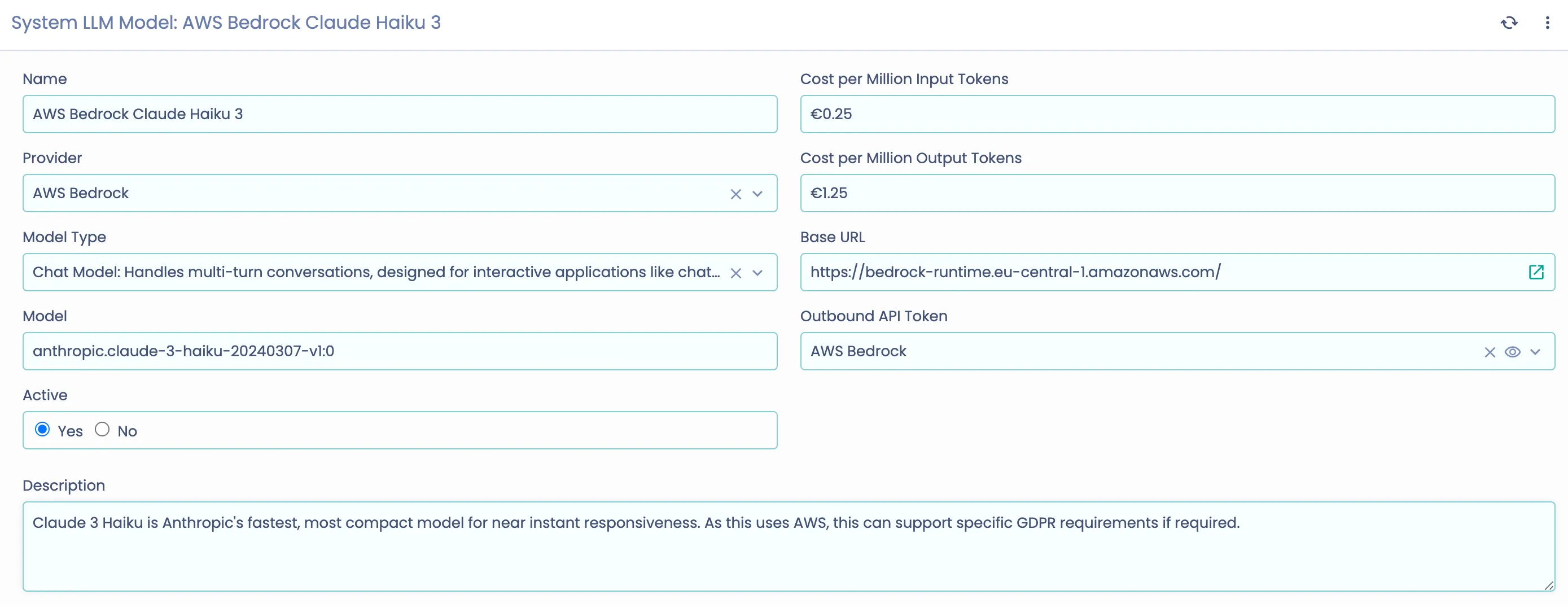
- Set up a new LLM Model record with:
- Provider: AWS Bedrock
- Model: Choose from available Bedrock models
- Model Type: Choose from:
- Chat for chat completions
- Embedding for embeddings