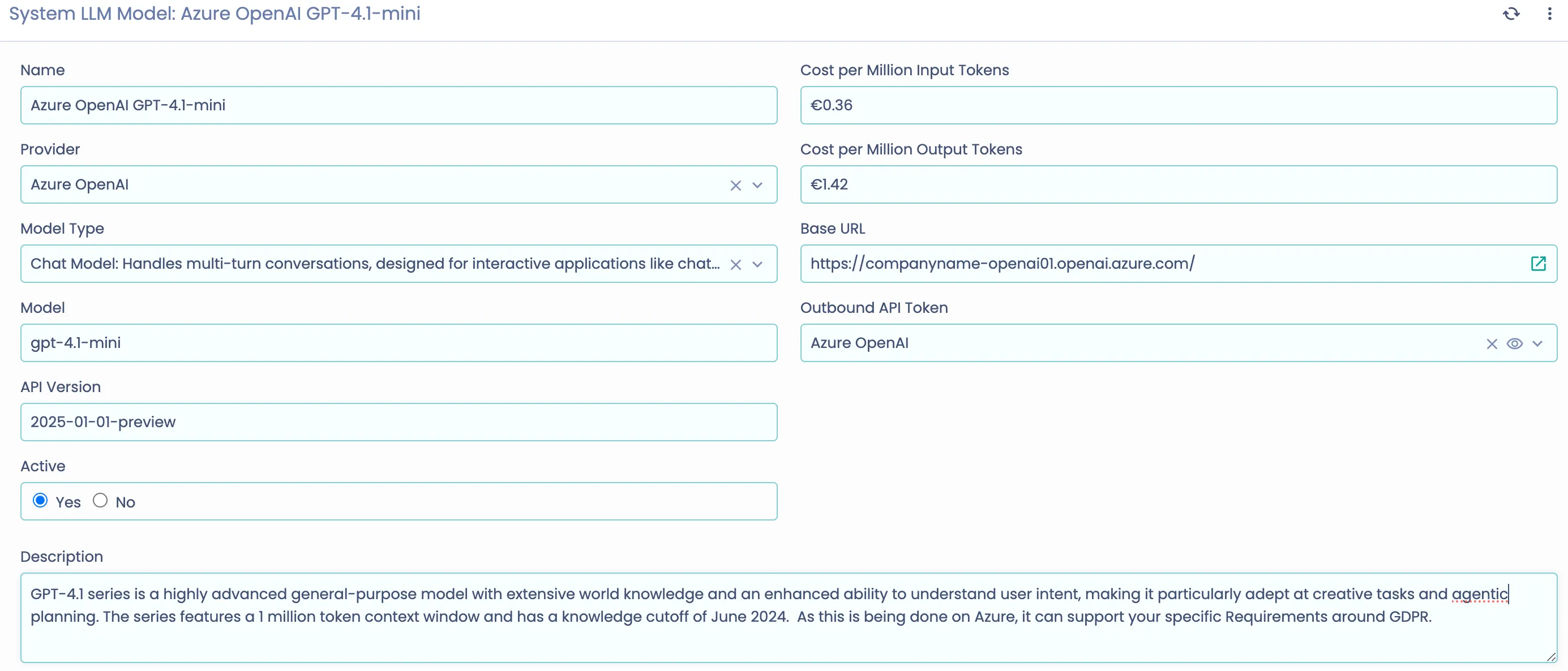
Azure OpenAI LLM Configuration
3 min
Please note that this is only supported in Servicely versions 1.10.78+
Prerequisites
- An Azure OpenAI service instance
- API key from Azure OpenAI
- Endpoint URL for your Azure OpenAI service
- Deployment name and API Version for your model
Configuration Steps
- Update Outbound API Token
- Navigate to the Outbound API Token configuration in Servicely
- Update Azure OpenAI with the following details:
- Type: Bearer
- API Token: Your Azure OpenAI API key
- Base URL: Your Azure OpenAI endpoint (e.g., https://your-resource-name.openai.azure.com/)
- Configure Model Settings
- Set up a new LLM Model record with:
- Provider: Azure OpenAI
- Model: Your deployment name (e.g., gpt-4o)
- API Version: (e.g., 2025-01-01-preview)
- Model Type: Choose from:
- Chat for chat completions
- Language for text completions
- Embedding for embeddings