NLU Model
Natural Language Understanding allows Sofi to understand what a person wants in their own words. Sofi uses machine learning to allow Sofi to receive user input in natural language and extract meaning from it. Sofi breaks down natural language input (Utterances) into Intents and Entities.
An intent represents actions the user wants to perform. The intent is a purpose or goal expressed in a user's input, such as reseting a password, applying for leave, or requesting access. In Sofi you define Entry Points that relate to an intent and then define the actions that but be taken for that intent.
There are two types of intents that can be configured within Sofi; Entry Point and Response.
These are intents that define how a user would respond to a Sofi question. For example, if Sofi asked, "Is this a password or access issue?". The response could be 1, "password" or 2, "access". In this case "Password" and "Access" are seperate intents that may have one or more utterances for each.
These are intents that define an entry point into a flow. You can have multiple entry points within a flow that determine specific positions within a flow that a user should enter. The flow then defines the actions that must be taken for that intent.
📘Entry Point List
Selecting Entry Pints under the Model menu presents a list of Entry Points for the selected flow.
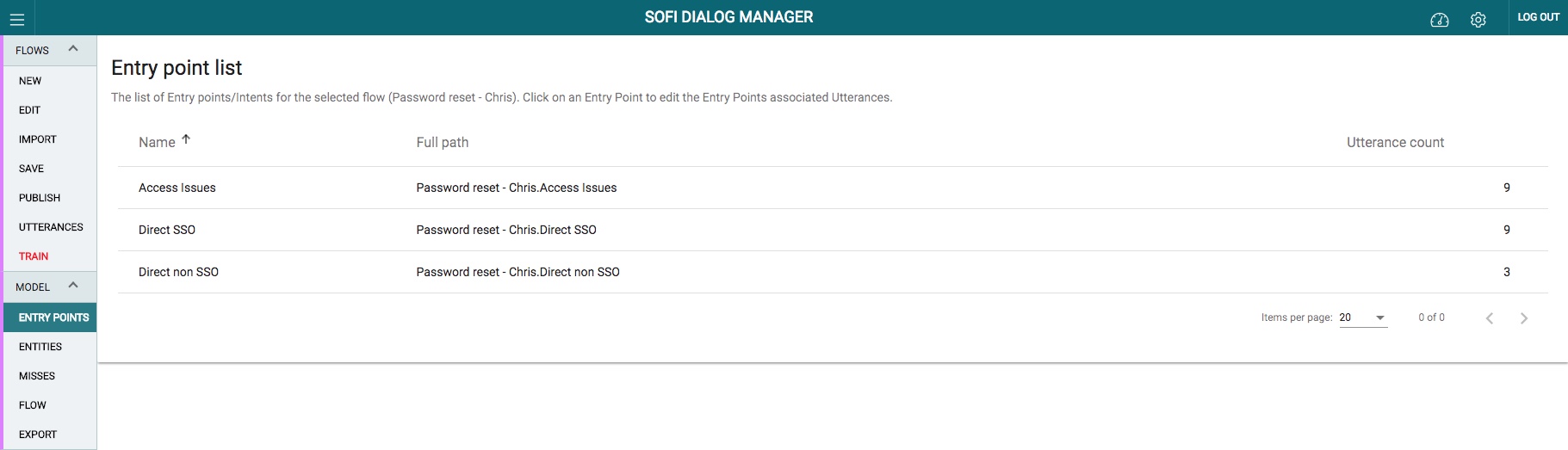
Entry Point List
Click on an Entry Point to edit the Entry Points associated Utterances.
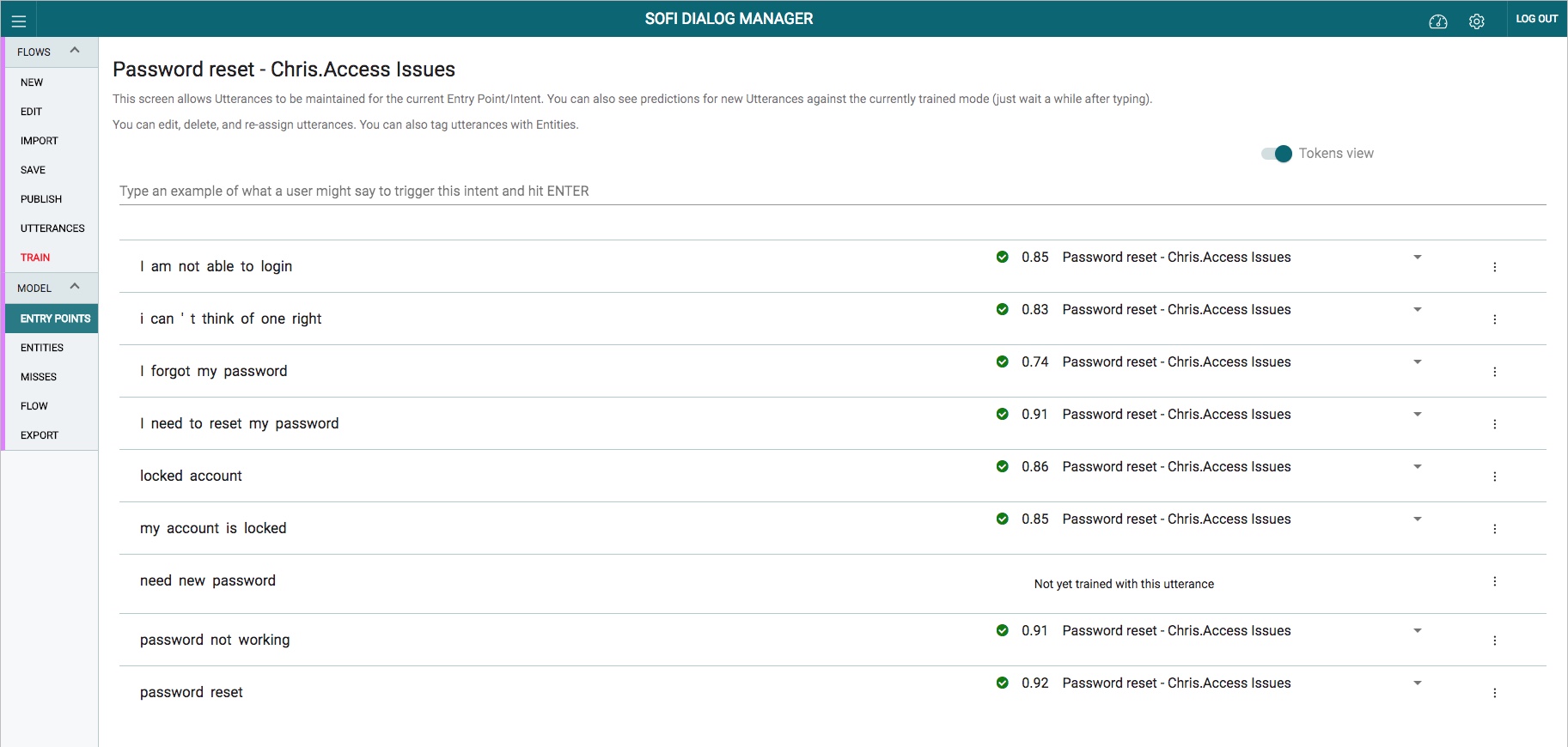
Entry Point Utterance List
An utterance is text input from the user that Sofi needs to understand. It may be a sentence, like "I need to reset my password", or a fragment of a sentence, like "Password" or "Salesforce password issue." Utterances aren't always well-formed, and there can be many utterance variations for a particular Entry Point.
Selecting the Entry Point from the Entry Point list provides a list of Utterances associated with the Entry Point. This screen allows Utterances to be maintained for the current Entry Point/Intent.
You can also see predictions for new Utterances against the currently trained mode (just wait a moment after typing).
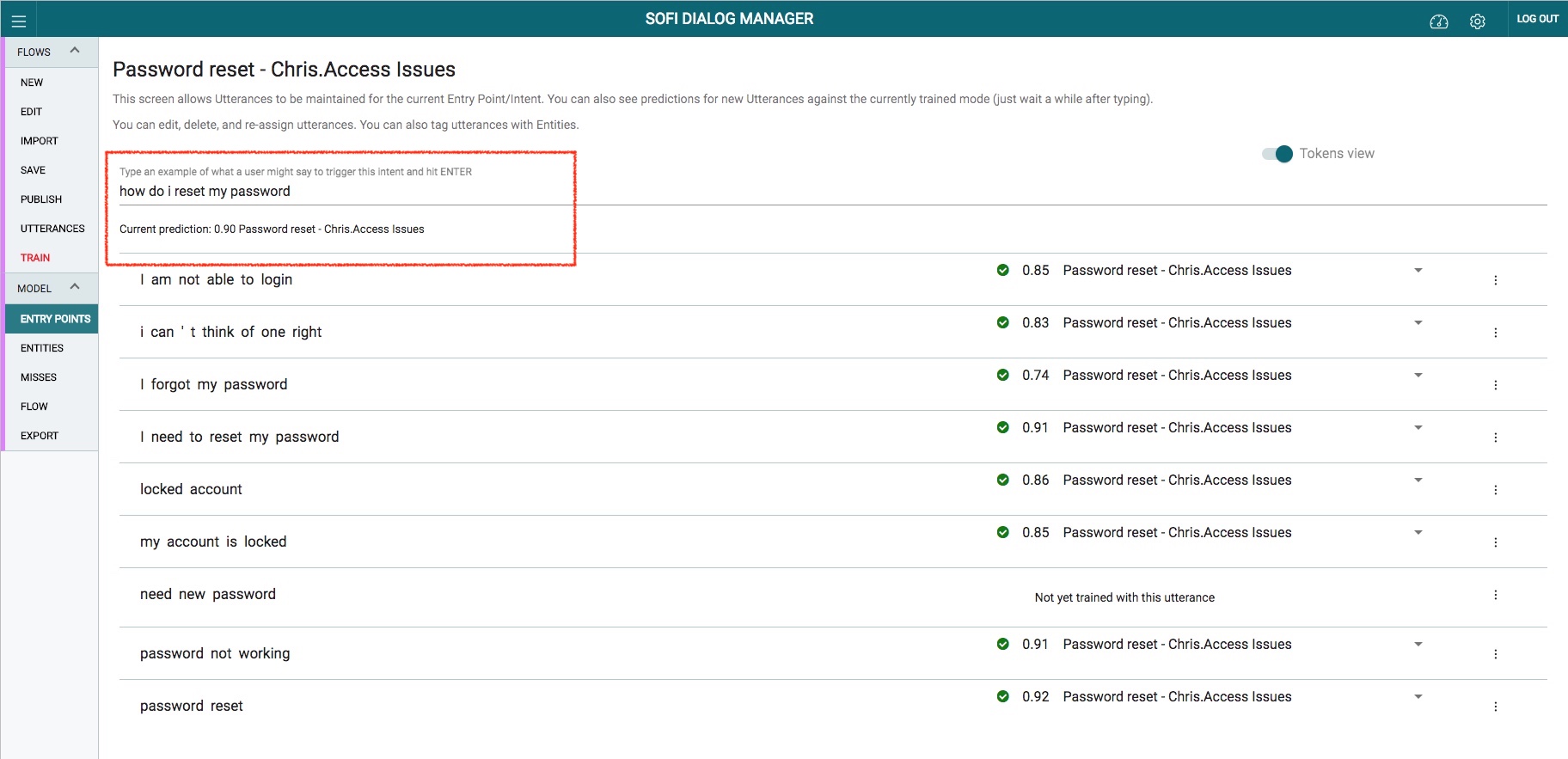
Entry Point Utterance List
You can edit, delete, and re-assign utterances.
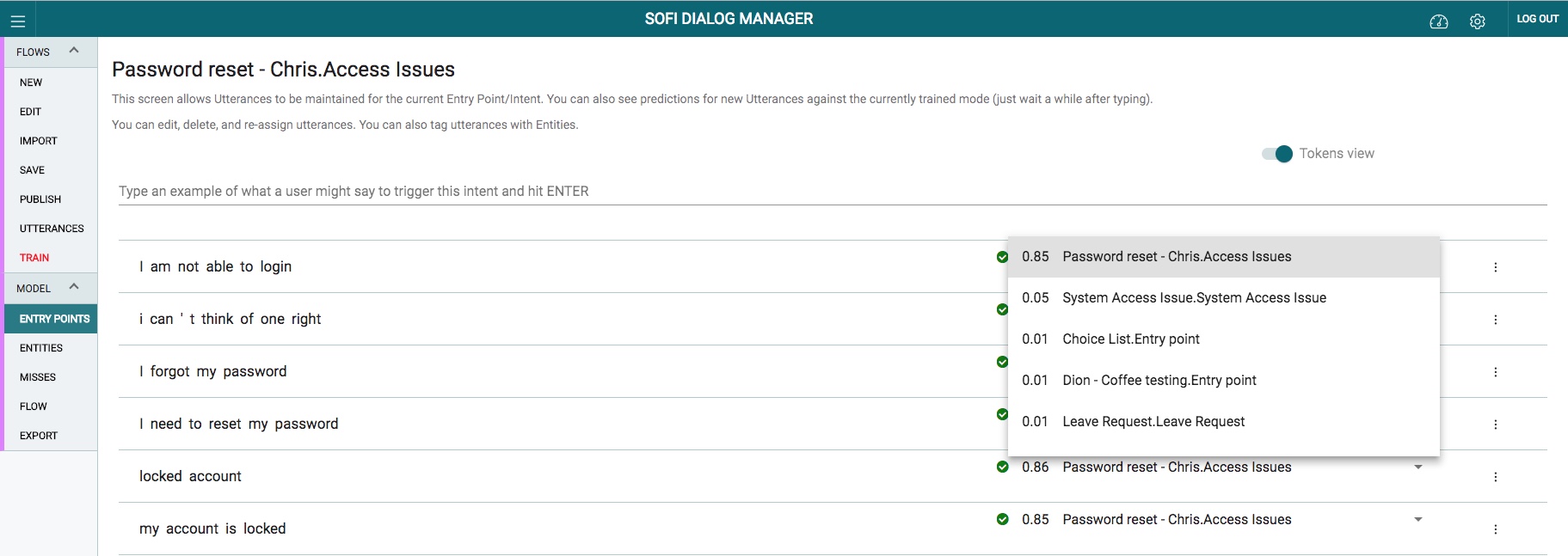
Utterance Reassignment
You can also label utterances with Entities. By selectng a word or phrase (or words) you are able to label these with an existing Entity or create a new Entity.
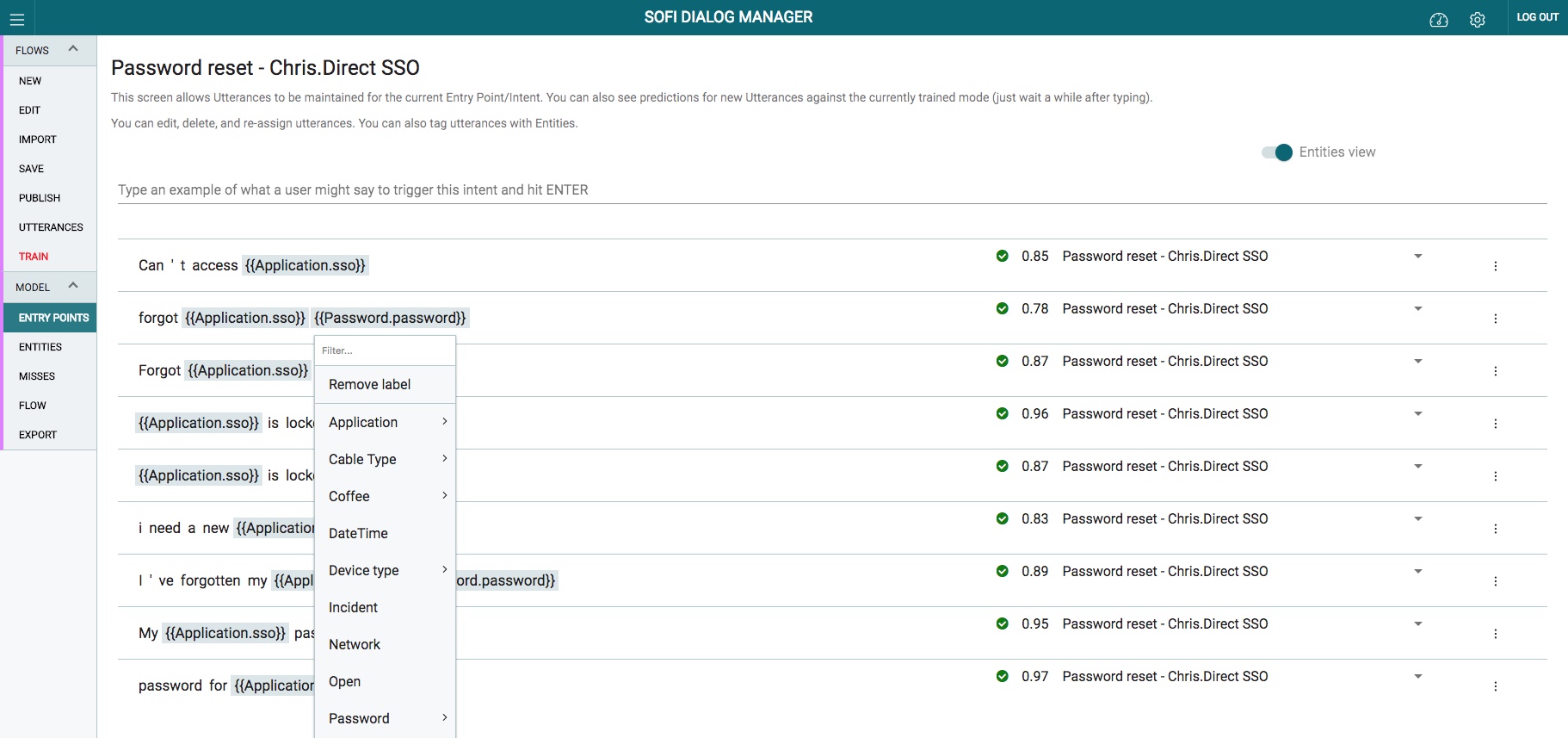
Entity Labelling
The missed utterances screen allows you to review and assign suggestions that may help improve your models. These suggestions come from the NLU backend and are based on the interactions with the end users.
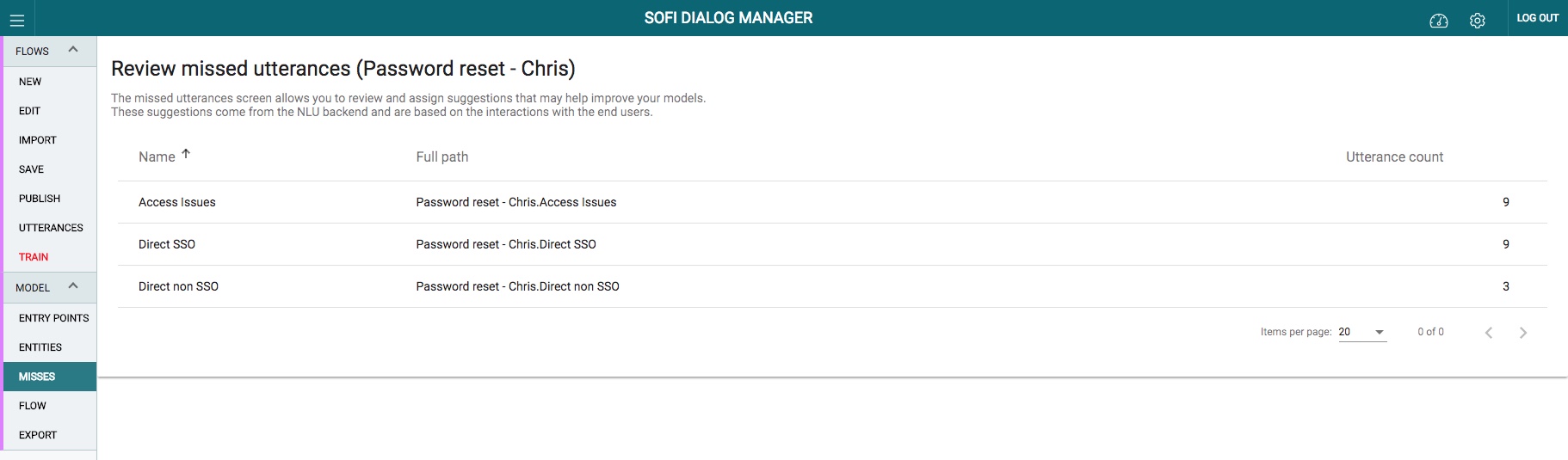
Utterance Misses
By selecting a Entry Point, you are provided with a suggested list of utterances (that users have tried) and have either matched or not matched to the Entry Point. This screen allows you to add these suggested utterances to the model.
📘Adding Suggested Utterances to the Model
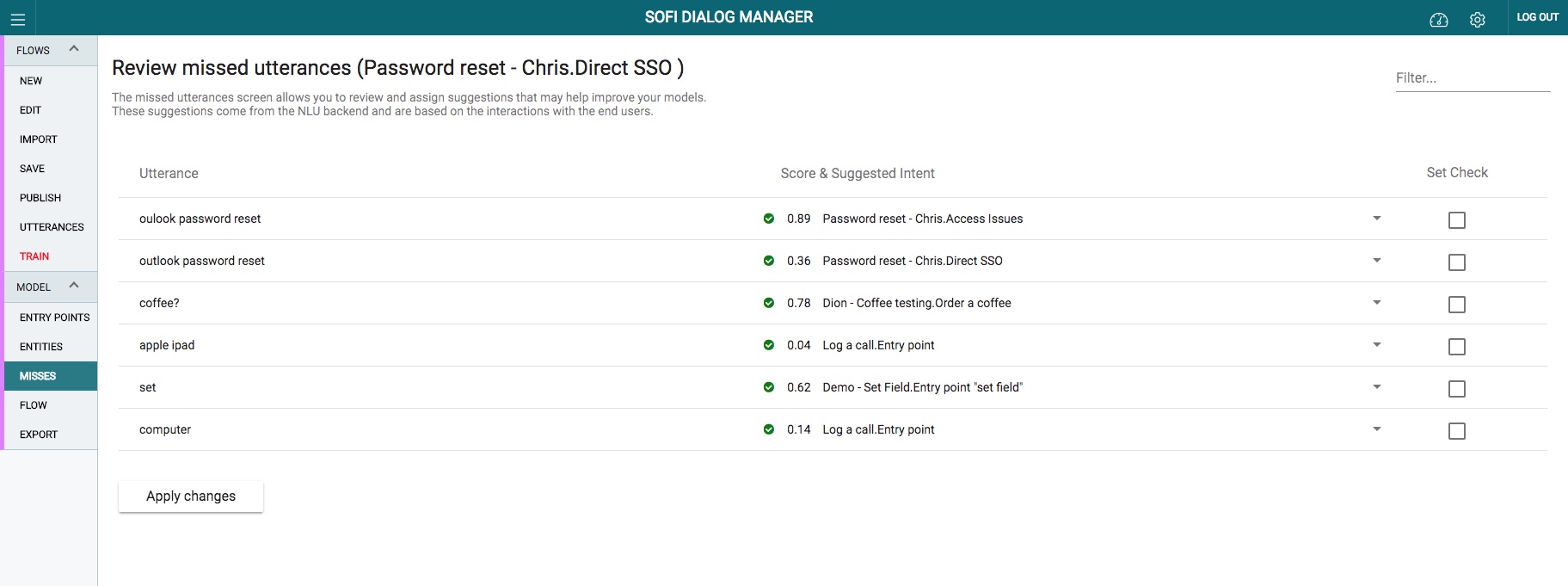
Reviewing Missed Utterances
An entity represents detailed information that is relevant in the utterance. For example, in the utterance "Reset my salesforce password", "Salesforce" is a application for which the password reset is required. By recognising and labelling entities that are mentioned in the user’s utterance, Sofi helps you choose the specific action to take to answer a user's request.
Entity List
Editing an Entity
**Updated almost 7 years ago