Training a Search Classifier
Sofi provides a default configuration for the following items, and can be extended to include additional items or custom items as required:
Catalogue
OOTB, SOFI includes a Default Catalog classifier for searches - providing SOFI with the means to search for Catalog Items and present them back to Customers.
Knowledge
The standard classifier for Knowledge articles - Provides SOFI with the means to query Knowledge Articles.
Changing the default configuration
Before Sofi can be used we need train the models, this is done by navigating to the ServiceNow menu Intelligent Automation → Intelligent Predictions → Classifiers. Select the Knowledve Classifier and then click on the Train Classifier link at the bottom of the form.
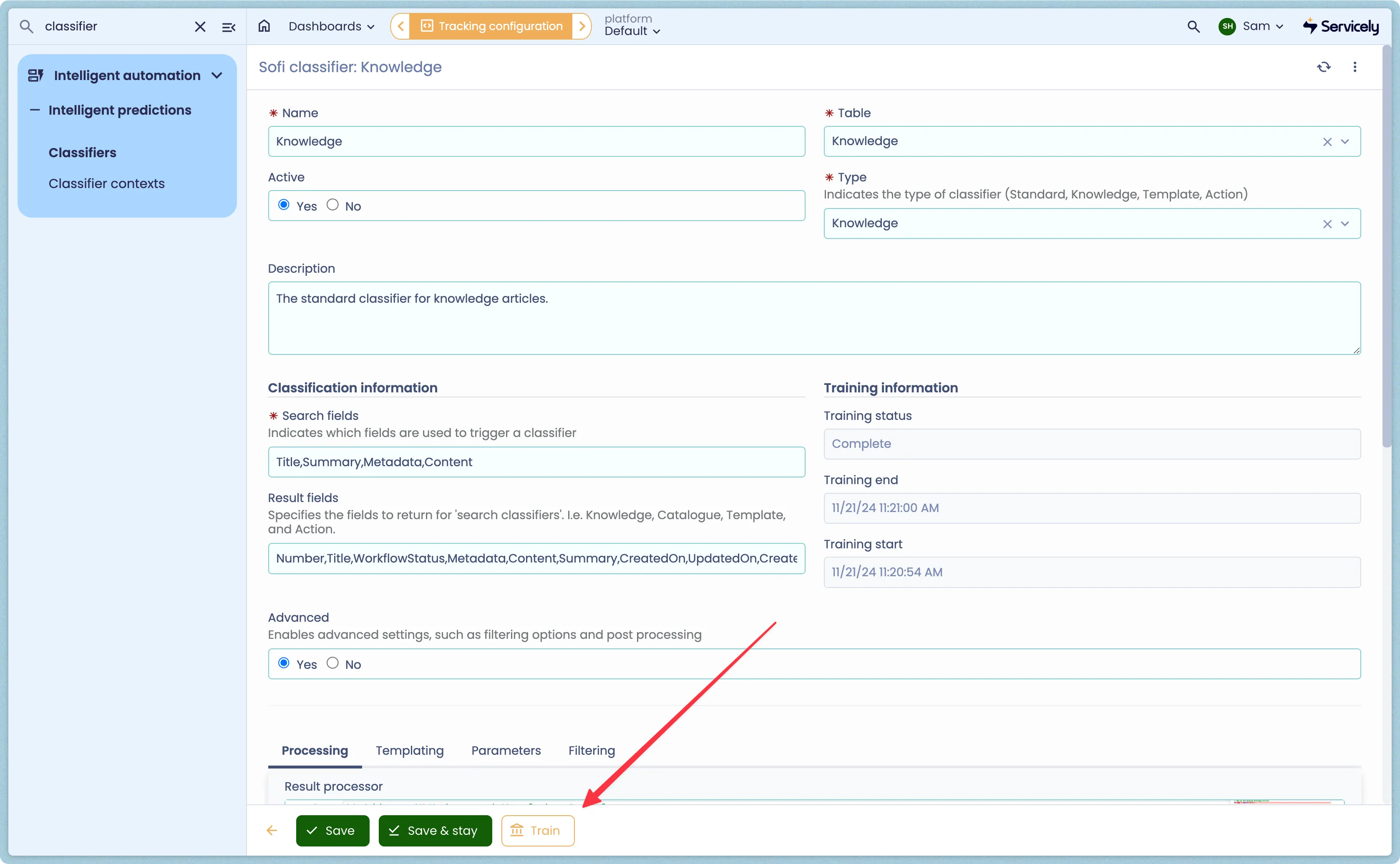
The duration depends on a number of factors and can take between 20 minutes and a few hours. The Classifier provides a Status field indicating the current state allowing you to confirm when training is complete. Once completed, the Training End field will be populated. Note that during Training, the classifier will still make predictions however the results may be inconsistent.