Questions
Portal Questions are used within Catalog Items to gather the necessary information required to have all of the information necessary to fufil the catalog item's workflow - this could be mandatory data, Approvers, or other information used by automation or service agents to resolve the request.
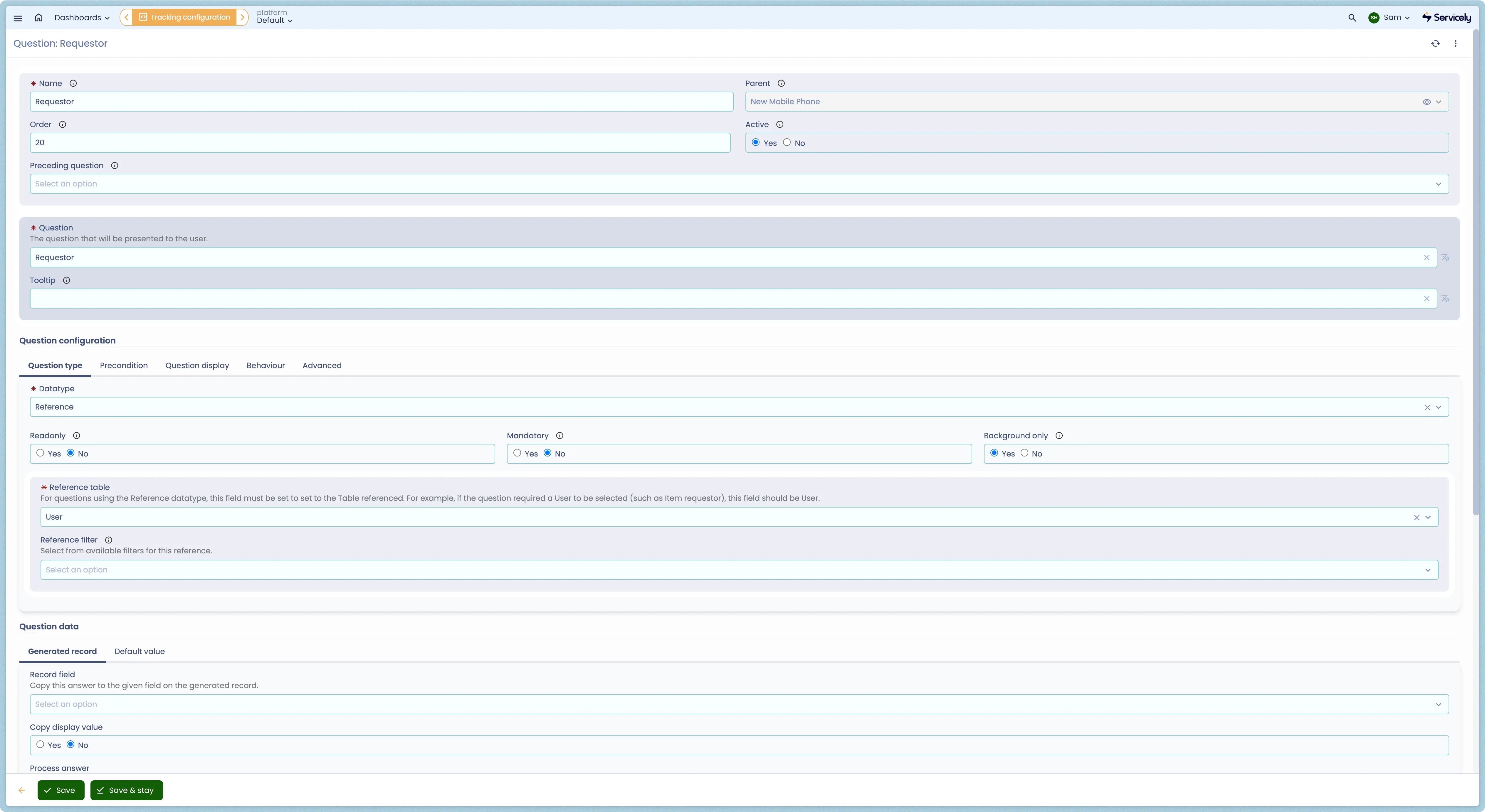
Questions have a many-to-one (many:1) relationship with Catalog Items, meaning that a Question can only exist on one catalog item at a time.
Question Configuration
Question atributes
Field Label | Field Type | Purpose |
|---|---|---|
Name | String | The name of the Question - not visible to end users on the Catalog Items |
Parent | Reference | (Auto-Populated) Catalog Item where this Question is visible. |
Order | Number | Numerical Display Order for this Question - determines in which order the field should be visible on the Catalog Item. |
Active | Boolean | Toggle status of the Question - only Active questions will be rendered on the form. |
Preceding Question | Reference | Allows for selection of prior question for rendering. |
Question | String | The question that will be presented to the user submitting the Catalog Items. |
Tooltip | String | The tooltip text visible to the end user when populating the form. |
Datatype | Choice | Servicely supports the usage of many different Question types (alonside their own configuration options). See the Question Datatypes & Configuration Options section of this page for more detail. |
Readonly | Boolean | Determines if the field should be editable by users submitting the form. |
Mandatory | Boolean | Mandatory fields must be completed before submission can occur. |
Background Only | Boolean | The question is active, but not rendered on the form for end users. Helpful for more advanced use cases that require additional data that isn't presented to the end user. |
Data Type Options | Many | Servicely supports the usage of many different Question types (alonside their own configuration options). See the Question Datatypes & Configuration Options section of this page for more detail. |
Precondition | Filter | The precondition must be met for this question to be presented. This is the mechanism for varying flows for an item, based on previous answers. |
Precondition Script | Script | In complex scenarios, a script may be run to result in a boolean value for satisfying the precondition, or set in the answer variable. The questions variable can be used to access other questions by name to get their answers. |
Section Title | String | Allows for the question to sit within it's own named section of the field. Following questions will appear within the section unless a new Section Title is identified, or the question is configured to close the section. |
Close Section After | Boolean | Determines if this question should be the last within it's section. |
Hide Section if Hidden | Boolean | When a question is hidden (based on the Precondition or Precondition Script), this flag allows the entire section to be hidden alongside it. |
Clear Answer if Hidden | Boolean | By default, when a field is hidden the contents are not removed from the field. |
Validation Script | Script | Allows for complex validation of field data alongisde the specified Datatype - e.g., Regex Validation. |
Renderer | Choice | Allows the user to modify the way the Datatype is rendered (e.g., showing an Attachment drag-and-drop for Attachment fields instead of a Reference). |
Renderer Properties | Properties | Allows for further advanced modification of the renderer. |
Record Field | Fields | Copy this answer to the given field on the generated record. |
Copy Display Value | Boolean | Instead of copying the exact value to a field, copy the configured Display Value. Helpful when copying the name of a Reference to a String field. |
Process Answer | Script | Optionally process the answer. The question is available as current and the initial answer is available as value. |
Replace Answer | Boolean | Replace the original answer with the processed answer. |
Default from Question | Fields | Default from a previously answered question. Typically, this would be reference field, say Requestor, and the default of this answer is Requestor > Location if we are defaulting a Location question. |
Default from Function | Choice | The default may be set from one of a number of pre-defined functions, such as the current user. |
Default from Script | Script | In complex scenarios, a script may be run to result in the default value, or set in the answer variable. The questions variable can be used to access other questions by name to get their answers. |
Always use Default | Boolean | Determines if the script should always be run (for visiblity) or only once during the form initialisation. |
Question value validation
A validation can be configured to restrict a question's value to be within a certain rule.
Example below is to ensure that a Date's question value/amswer is not later than 6 months from now.
When a catalog question's answer fails the validation, the script needs to set the validation error message to answer variable. The answer variable needs to be blank if validation succeeds.
let validEndDateMsg = "";
let todayDate = DateTime();
let sixMonths = DateTime().plusMonths(6);
let valueDateTime = DateTime(value);
if (value) {
    if (valueDateTime.isAfter(sixMonths)) {
        validEndDateMsg = "End date must be within 6 months from now";
    }
}

answer = validEndDateMsg;
Example on how the example validation logic above can result in. If the Date question was filled in on 5th March 2026:

Question value default
A catalog question's value can be defaulted either from another question or a function or a custom logic.
Example below is a "Default from script" config for a catalog question, with logic: The answer to the Catalog question "MyColour" decides the default value of the catalog question.
let defaultStorage = "256GB";
if (questions.MyColour.hasChanged() && questions.MyColour.value() == "Black") {
    defaultStorage = "512GB";
}
answer = defaultStorage;
Question Datatypes & Configuration Options
The following Datatypes and configurations are available for Questions:
Acknowledgement
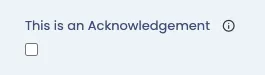
Acknowledgement fields allow for agreement or attestation to a specific condition. When marked as mandatory, they must be selected before submission can occur.
Boolean

Boolean values allow for capturing both the True or False outcome of a field. Booleans have two (2) available rendering options; Checkbox (the default display), or Switch (offering more visual distinction between true and false values).
Choice
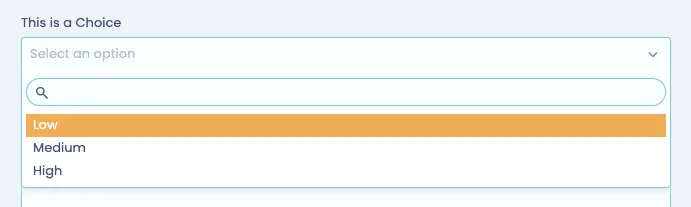
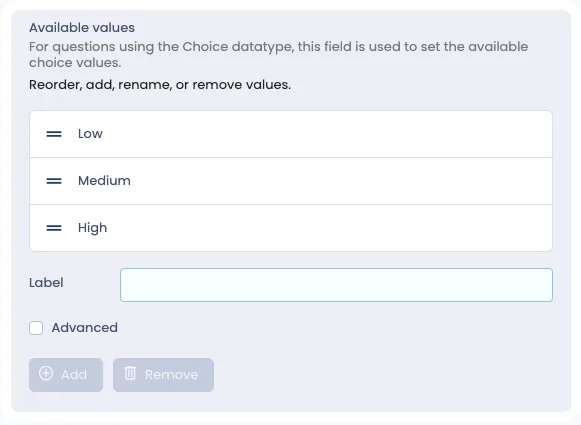
Choice fields offer a means to create a predefined selection of choices that the end user can select from. Choices can be rendered as a standard choice field (the default display), or as Multi-Choice (allowing the user to make multiple selections, similar to Multiple Reference fields), or Radio Buttons.
Date
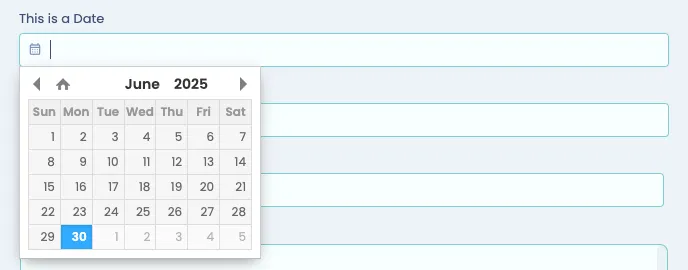
Date fields allow for selection of a date from a calendar picker. Date fields can be used in conjunction with Validation Scripts to ensure more complex logic is handled (for example, not being able to specify a date in the past). Date fields have a number of Default Form Functions OOTB that allow for rapid selection of the dynamic default data, including:
- Yesterday
- Today,
- Tomorrow,
- Last, This and Next Week,
- Last, This, and Next Month,
- Last, This and Next Quarter,
- Last and Next 30 Days,
- Last and Next 60 Days,
- Last and Next 90 Days,
- Last and Next 3 Months,
- Last and Next 6 Months,
- Last and Next 9 Months and
- Last and Next 12 Months,
Date and time
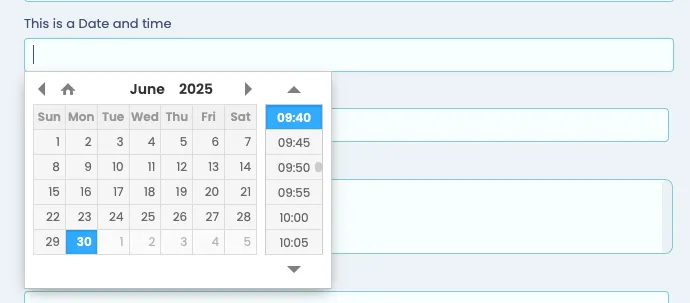
Date and Time fields function the same as Date Fields, but allow for additional selection of a time field. Date and Time fields can be used in conjunction with Validation Scripts to ensure more complex logic is handled (for example, not being able to specify a date in the past). Date and Time fields have a number of Default Form Functions OOTB that allow for rapid selection of the dynamic default data, including:
- Yesterday
- Today,
- Tomorrow,
- Last, This and Next Week,
- Last, This, and Next Month,
- Last, This and Next Quarter,
- Last and Next 30 Days,
- Last and Next 60 Days,
- Last and Next 90 Days,
- Last and Next 3 Months,
- Last and Next 6 Months,
- Last and Next 9 Months and
- Last and Next 12 Months,
Decimal
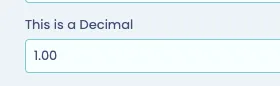
Allows for capturing decimal data - includes OOTB validation of appropriate decimal fields. Additional render options for Decimals include:
- Accounting
- Identifies decimal values as accounting figures, including different rendering of negative numbers.
- Decimal
- OOTB Rendering
- Rating (number)
- Allows for Numerical Ratings to be captured for a field

- Percentage
- Renders the deicmal as a Percentage
- Rating
- Allows the user to select a Star Rating for a field

- Text
- Removes all rendering and captures data as static text.
HTML
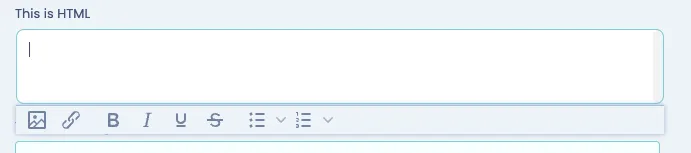
HTML fields allow for rich-text editing within the catalog item; useful for more complex fields or for copying+pasting from other systems.
Integer

Captures data as an Integer (number) and includes OOTB validation of the field. Integers can be rendered in the same ways as a Decimal field, including:
- Accounting
- Identifies decimal values as accounting figures, including different rendering of negative numbers.
- Decimal
- OOTB Rendering
- Rating (number)
- Allows for Numerical Ratings to be captured for a field
- Percentage
- Renders the deicmal as a Percentage
- Rating
- Allows the user to select a Star Rating for a field
- Text
- Removes all rendering and captures data as static text.
Money
Renders the input as a Money field, and includes the user's configured currency as the output format.

Multiple reference
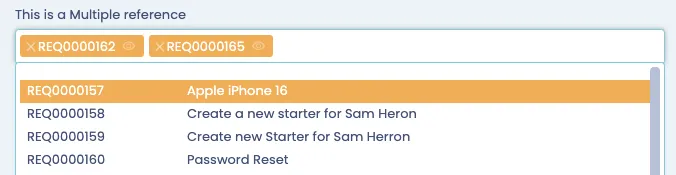
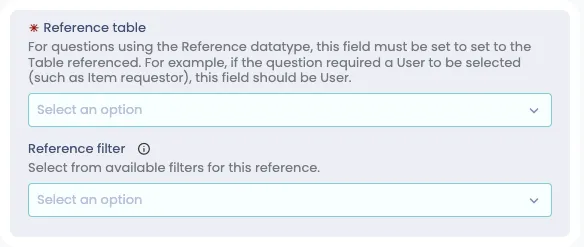
Multiple Reference fields create correlation between a Form to a Table - allowing the user to select multiple records from other tables within Servicely. There are many possible use cases for this, but one of the most common is for identifying Approvers for the catalog item. Mutiple Reference fields can also benefit from Reference Filters to ensure that only appropriate fields can be selected.
Reference
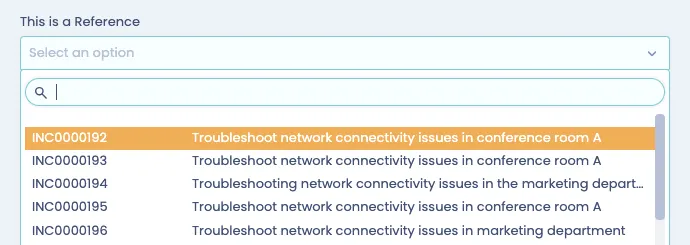
Reference (like Multiple References) fields create correlation between a Form to a Table - allowing the user to select a single record from other tables within Servicely. There are many possible use cases for this, but one of the most common is for identifying Approvers for the catalog item. Reference fields can also benefit from Reference Filters to ensure that only appropriate fields can be selected.
String
String fields can be used to capture a single-line of text from the user submitting the form.

Text
Text fields can be used to capture mutliple lines of text from the user submitting the form, without any rich-text editing.
