Catalog Items
Catalog Items are the individual forms created to provide a structured means of information gathering within the Portal. Within Servicely, Catalog Items can create any type of Record, making them a powerful means to drive consistent information gathering and workflow for funcitonal purposes.
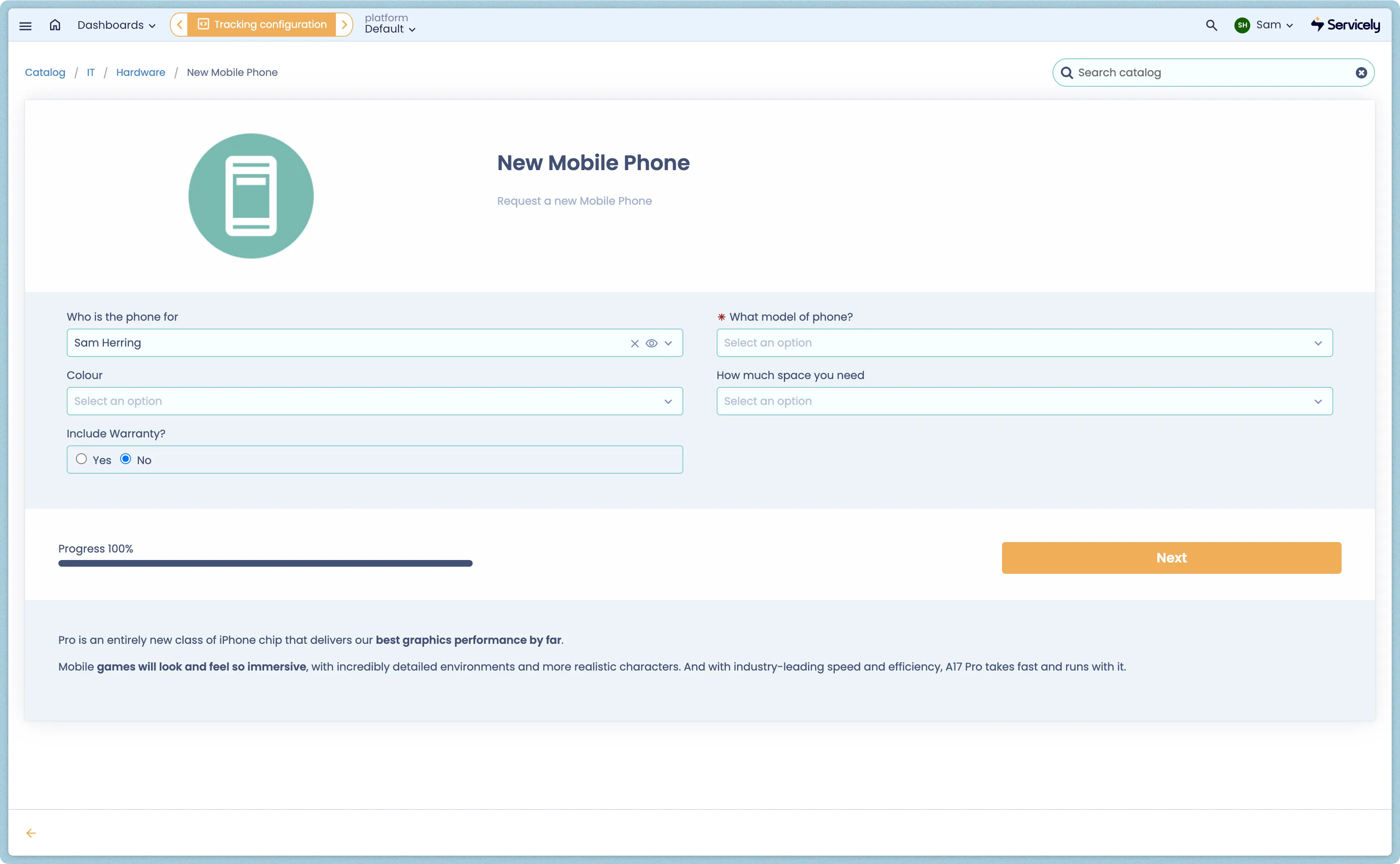
Catalog Items are designed to be highly configurable and easy to maintain, allowing them to grow alongside your functional processes. Catalog Items live within Catalog Categories, and contain one or many Questions to gather the necessary information to populate the configured record.
For a detailed guide on creating Catalog Items, see Creating a new Catalog Item.
Catalog Configuration
Field Label | Field Type | Purpose |
|---|---|---|
Name | String | The end user visible name of the catalog item. Used for Search matching. |
Category | Reference (Category) | Where within the Portal Taxonomy the catalog item should be visible. See Catalog Categories for more details. |
Key | String | Unique string used for advanced scripting. |
Active | Boolean | Toggle the availability of the Catalog Item - inactive catalog items are not accessible via the Portal. |
Order | Number | The numerical order the catalog item should appear in when rendered in the Category view. |
Advanced | Boolean | Toggle to enable Advanced Scripting fields for Catalog Items, including Post-Processing Scripts, Generation Scripts, and Entitlement Scripts. |
Highlight | Boolean | Some highlighted items may be presented on the parent category in the portal. |
Summary | Text | Summary text of the item. This will be used as part of the item display in the portal. |
Image | Attachment | Image for item. This will be used as part of the item display in the portal. |
Icon | Attachment | Icon to display in the portal categories. |
Expected Question Percentage | Percentage | Used to help provide better progress indicator. 100% means that it is anticipated that all configured questions will be asked, and 80% would mean that in the average case, approximately 80% of questions will be asked (as some are conditional). Note: This is only an approximation to help with better progress indication. |
Description | Text | Detailed description for display in the item. |
Two Columns | Boolean | Whether to display the questions in two columns. |
Roles | Reference (Roles) | Only users with these roles will have this item available. If no roles specified, item is available for all. |
Groups | Reference (Groups) | Only users who are members of these groups will have this item available. If no groups specified, item is available for all. |
Clear Answers if Hidden | Boolean | Clear answers to questions if the question is hidden. |
Direct to Link | Boolean | When selected, open link for this item instead of using Catalog questions. |
Table | Reference (Table) | The Table of the record that will be generated by the item. |
Name Field | Reference (Table Field) | The field on the generated record where, by default, the Name of this Item will be copied. For instance, "Short description" on Request records. Note: this may be overridden with a more specific description in the Questions configuration. |
Workflow | Reference (Workflow) | For specific workflow and approval processes, a specific Workflow can be configured. |
Button Text | String | Depending on the nature of the item, the completion button may be Submit, Order, Complete, Request, etc. |
Set Fields | Data Picker | Allows for static population of Record fields upon creation, for example, always sending Catalog Item requests directly to a specific team, or categorisation. |
Post-Processing Script | Script | Script that can used to modify questions and answers before they are sent to the UI, such as readonly or mandatory. Variables are questions, answers, firstQuestions, questionId |
Generation Script | Script | Complex record generation may be scripted. The current object of the configured Table is available in the script. Use the 'questions' variable to access answers to questions. |
Entitlement Script | Script | Complex entitlement rules may be scripted. The script should result in a boolean true/false, or set the the answer variable. |
Questions | Related List (Questions) | The questions available to end users on this specific catalog item. |